
Browse with Context & Focus
Organize isolated workspaces, navigate split views, and expose sandboxed local AI event streams—all on your machine.
Designed for modern work
A streamlined environment engineered to structure browsing session contexts.
Isolated Workspaces
Group tabs into custom contexts (Research, Code, Personal). Each workspace keeps history and tabs isolated.
Vertical Tabs
Toggle between horizontal tabs and space-saving vertical sidebar tabs with fluid transitions.
Side-by-Side Split View
Browse two pages side-by-side inside a single tab container without cluttering extra OS windows.
Local AI Event Hooks
Internal BrowserEventService streams lifecycle events securely for local AI model indexing.
Reader Mode
Extract clean textual content instantly with custom typography scaling and minimal presentation.
Local SQLite Engine
Zero cloud telemetry required. Your history, settings, and bookmarks remain in a local SQLite database.
Engineered for Local Speed & Isolation
A decoupled multi-process architecture running entirely on your local machine.
Electron Main Controller
Manages window bounds, native IPC channels, protocol handlers, and system lifecycle with strict context isolation.
React & Framer Motion UI
Powers the workspace tab bar, vertical sidebar, split-view layout switcher, and fluid theme transitions.
WebContentsView Engine
Renders external web content inside isolated native views for maximum security and native tab responsiveness.
SQLite DB & Local AI Stream
Persists bookmarks, history, and workspace states locally via Drizzle ORM. Exposes local BrowserEvent hooks.
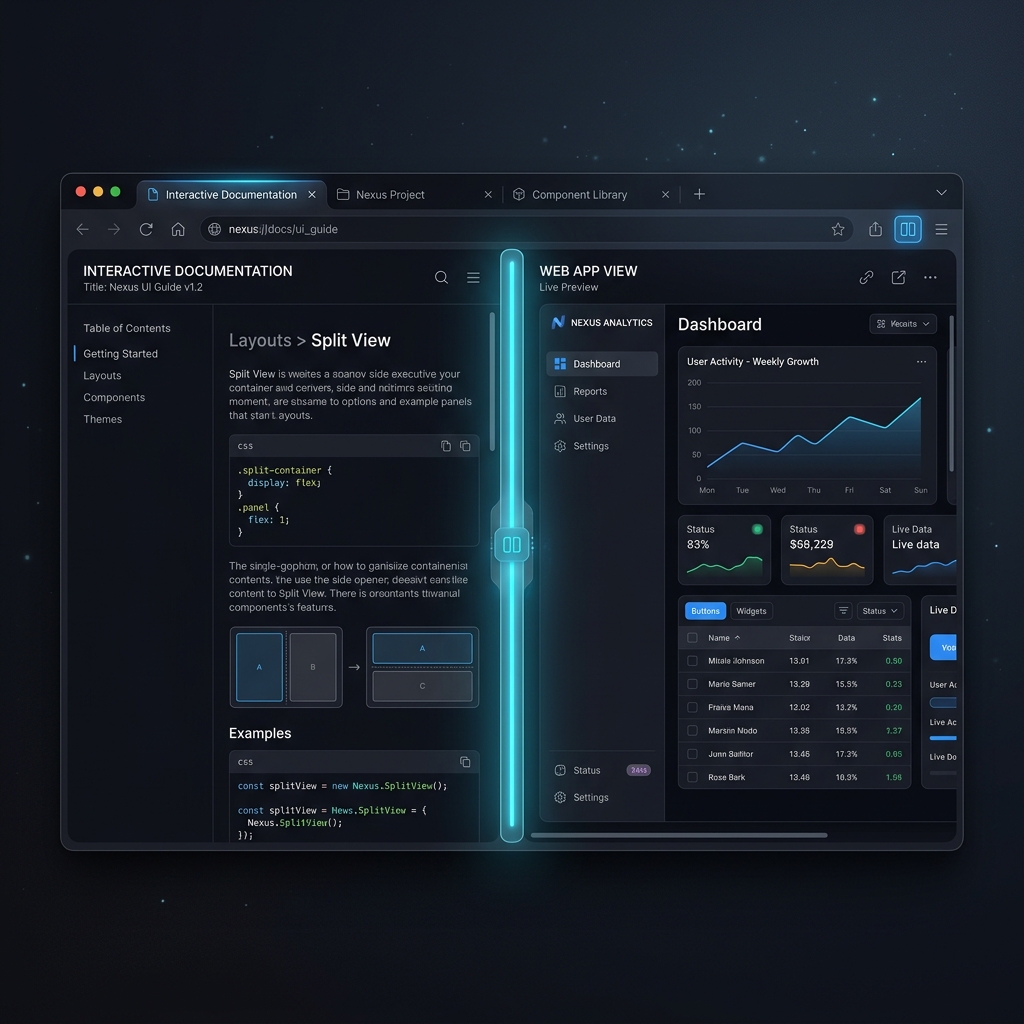
Split View Navigation
Compare documentation or references side-by-side within a single tab container.
- Independent address controls for left and right viewports
- Native WebContentsView performance and isolation
- One-click swap and un-split shortcuts
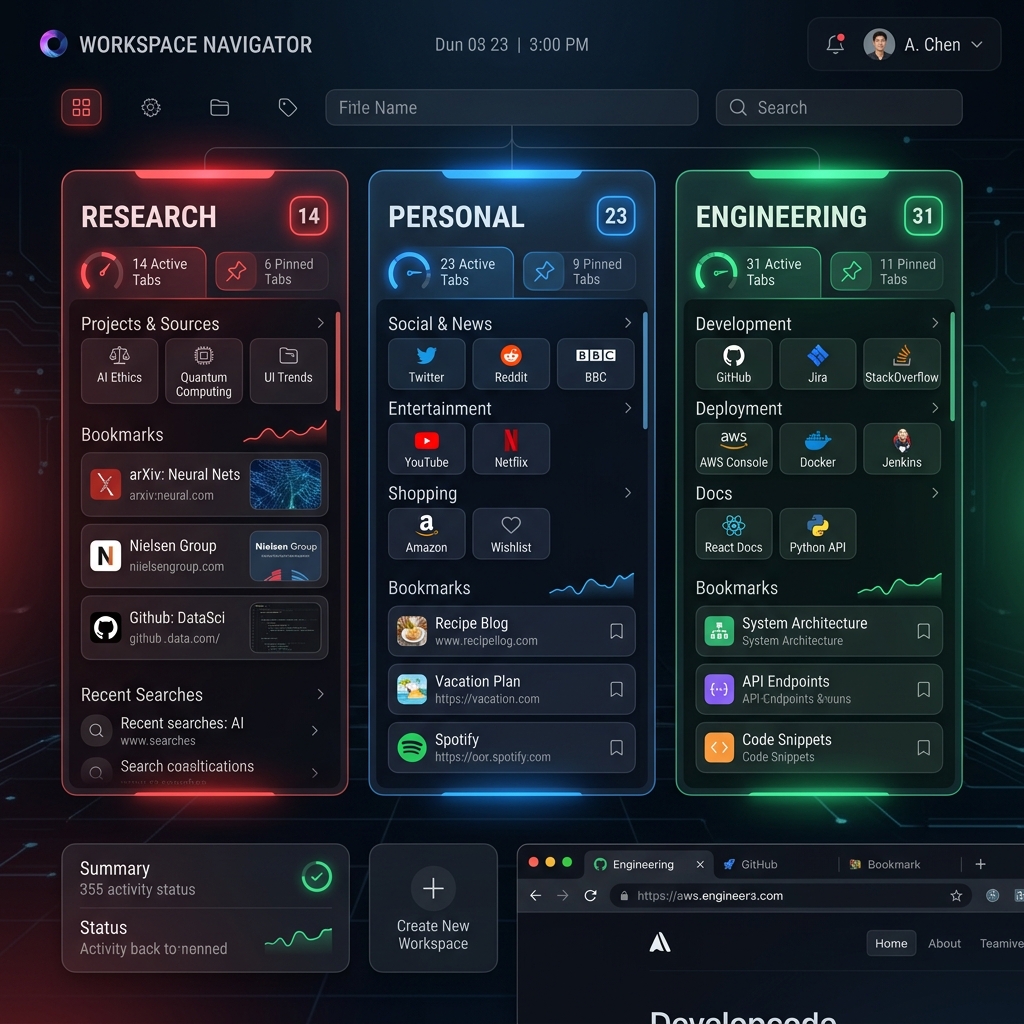
Dedicated Workspaces
Group browsing sessions into distinct workspaces with dedicated tab lists and custom themes.
- Custom names, icons, and theme palettes
- Multi-theme support (Graphite, Midnight, Cyber Obsidian)
- Instant keyboard shortcut switching
Old Versions & Build History
Download previous installer packages, release archives, and inspect release notes for earlier builds of Prisalya Noema Browser.
Prisalya Noema v1.1.0 Current Release
Released August 7, 2026 • Build 1.1.0-win32-x64Prisalya Noema v1.1.0 introduces complete session partition workspace isolation, controlled OAuth popup window management, an interactive Site Security & SSL/TLS Inspection Panel, an essential Page Controls suite (In-Page Search Ctrl+F, Zoom, Print, View Source), closed tab session crash recovery (Ctrl+Shift+T), a configurable Search Engine manager with Windows default browser registration, and an encrypted Noema Profile package import/export engine (.noemaprofile).
Prisalya Noema v1.0.3
Released August 1, 2026 • Build 1.0.3-win32-x64Prisalya Noema v1.0.3 introduces complete WebAuthn passkey suppression to eliminate native Windows Security USB key dialogs, Widevine DRM production VMP signing via CastLabs ECS, an always-accessible Key icon with 1-click credential repopulating and interactive Vault Quick Fill Drawer, WebContentsView compositor bounds layout fixes, and React UI error resilience.
Prisalya Noema v1.0.2
Released July 26, 2026 • Build 1.0.2-win32-x64Prisalya Noema v1.0.2 is a major security and reliability hotfix release introducing per-site permission prompts, strict OS-only password vault encryption, exact domain matching for login suggestions, IPC frame validation, collision-safe downloads, automatic database backups, and Android platform parity.
Prisalya Noema v1.0.1
Released July 25, 2026 • Build 1.0.1-win32-x64Prisalya Noema v1.0.1 introduces internal noema:// scheme URL mapping across all application views, a fully customizable Home Page with logo header, ambient glowing themes, and interactive widget suite, alongside password interception, credential prefilling, download progress tracking, and browser data migration.
Share your thoughts
Send suggestions, report issues, or provide feedback directly to the engineering team.